

Plugins
this article describes what are plugins
Table of contents
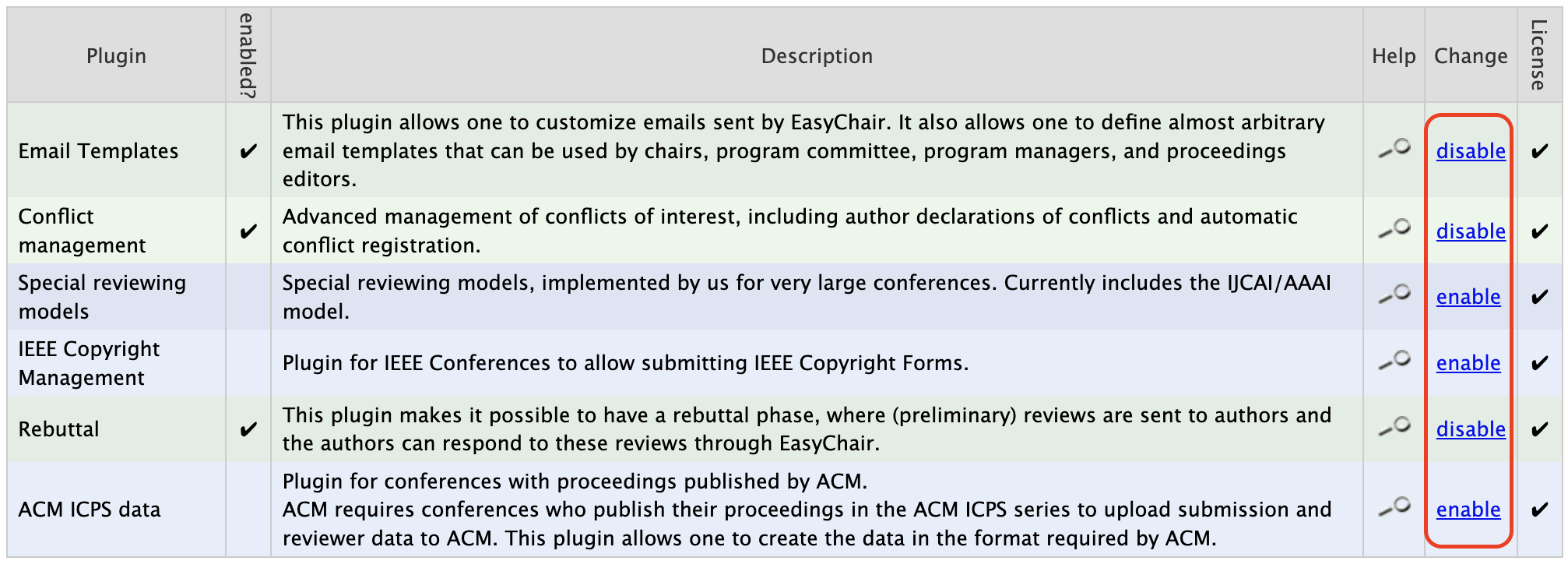
Plugins provide additional configuration options that can be enabled by chairs to further customise a conference. Each plugin is designed to fulfill a specific need.
To enable a plugin, navigate to the “Plugin” table at the beginning of the configuration page and click on the “enable” button located at the side of the table. Plugins that are enabled will be highlighted in green on the table and their set up will appear in the table of settings below Conference Information section of the table.