


Merge Accounts
If you have more than one account in EasyChair, you can merge them into a single account.
To do so
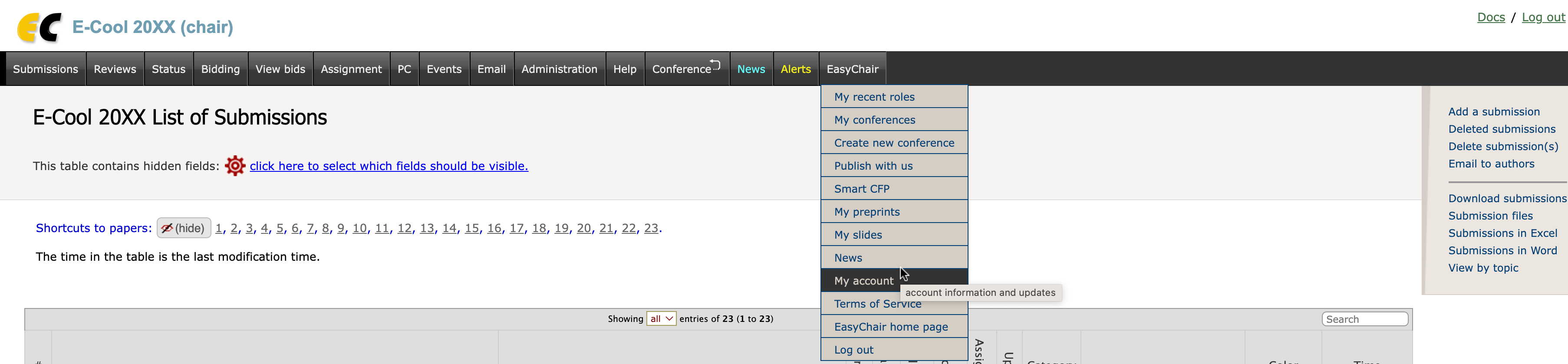
- Select the menu tabs "EasyChair -> My Account"
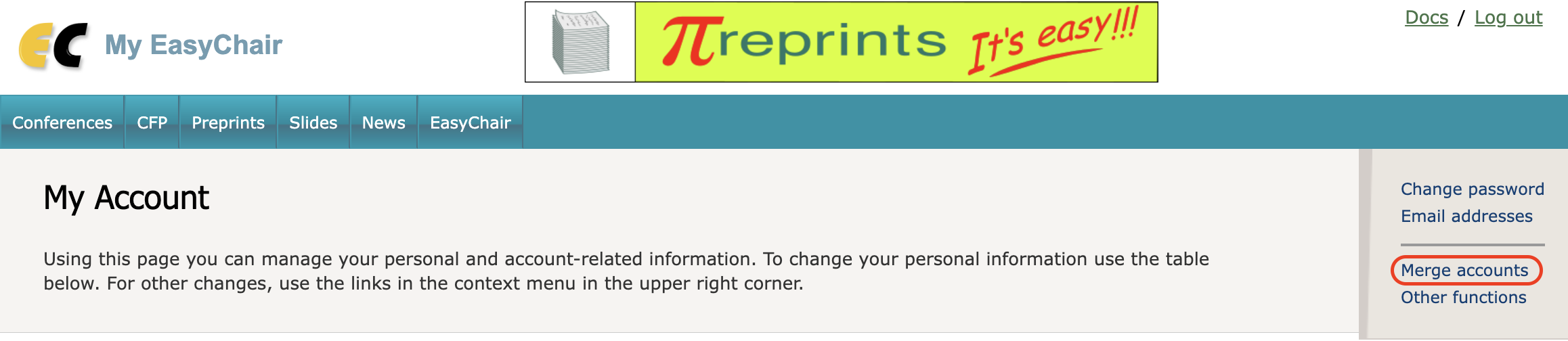
- Click on "Merge accounts" in the context menu
If you merge two accounts, the following things will happen:
- All personal information, such as name, address etc. from the second account will be deleted. For example, if you had different names on two accounts, only the name from the first account will be used.
- The main email address and all alternative email addresses of the second account will be added as alternative email addresses to the first account.
- All other information will be added to the first account. For example, the newly merged account will have access to all submissions from the second account.