


Multi-track configuration
EasyChair’s multi-track version has tracks so that each submission is submitted to a different track.
Each track has one or more track chairs assigned and its own PC members (reviewers). Track chairs and PC members have access only to submissions on their tracks.
The multi-track version is more complex to manage than the single track version. Normally, one uses the multi-track version in one of the following cases:
(1) Tracks have different submission and/or reviewing forms or rules. For example, there could be a poster submission where submission requirements are different from the track for main submissions. Or you can have a separate call for workshops to which workshop applications are submitted.
(2) The number of submissions is very large (say over 500) so it becomes hard to manage and splitting it in tracks defined by themes makes it easier to organize reviewing. In this case tracks are normally defined by their themes.
(3) Your conference naturally has tracks with their own reviewing committees. For example, some conferences consist of workshops or sessions, each one with its own reviewing committee.
Creating tracks
To create or add tracks select the menu tabs "Administration" -> "Tracks".
When chairs create tracks, the current conference will become a track, the chairs will have their role renamed as a Superchair and Track Chairs can be invited and assigned to the newly established tracks. Chairs should change the conference name to one that would be suitable for a track . A common mistake that is made by chairs is that the conference that has transformed into a track is not renamed and then chairs are confused why they have an extra track and how to delete it.
Once tracks are created they can also be reordered using the “Reorder tracks” button.

Please note the role of Chair will be renamed to “SuperChair” one the conference becomes multi-track.
Deleting track
Tracks can be deleted by superchairs. To delete a track:
(1) Select menu tabs Administration -> Tracks
(2) Click on "delete track" in the table of tracks
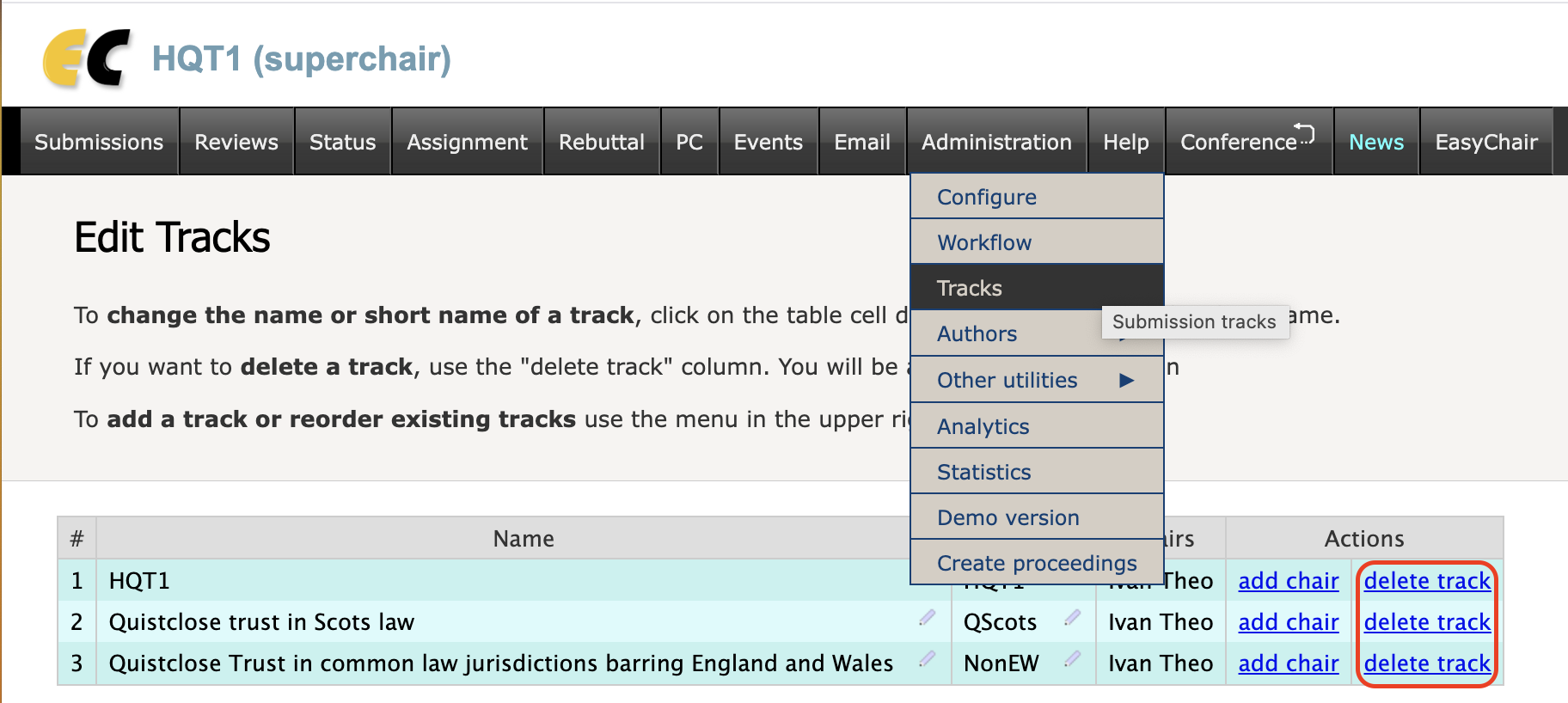
Superchairs will then be on the track deletion page. Note that some information, such as submissions, cannot be deleted, so the track where such information will be moved from the deleted track needs to be specified.
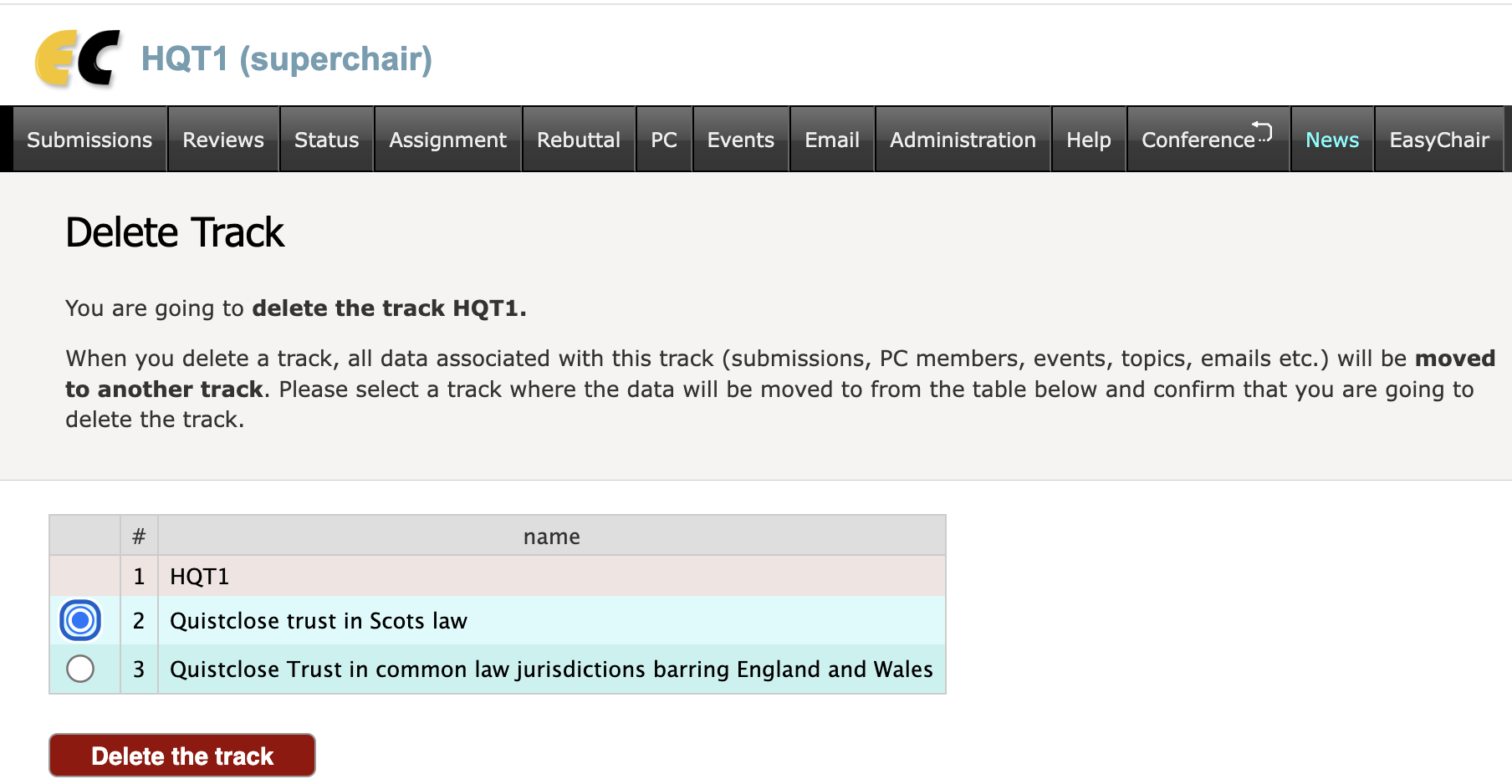
If there are two tracks and one of them is deleted, the conference will automatically become a single-track conference. Superchair will become a chair and there will no longer be any track information on conference pages.